

Getting started
Create your first agent
Create a voice agent from a template and publish it as a draft.
Start here for an overview. When ready, follow the step-by-step guide for full details.
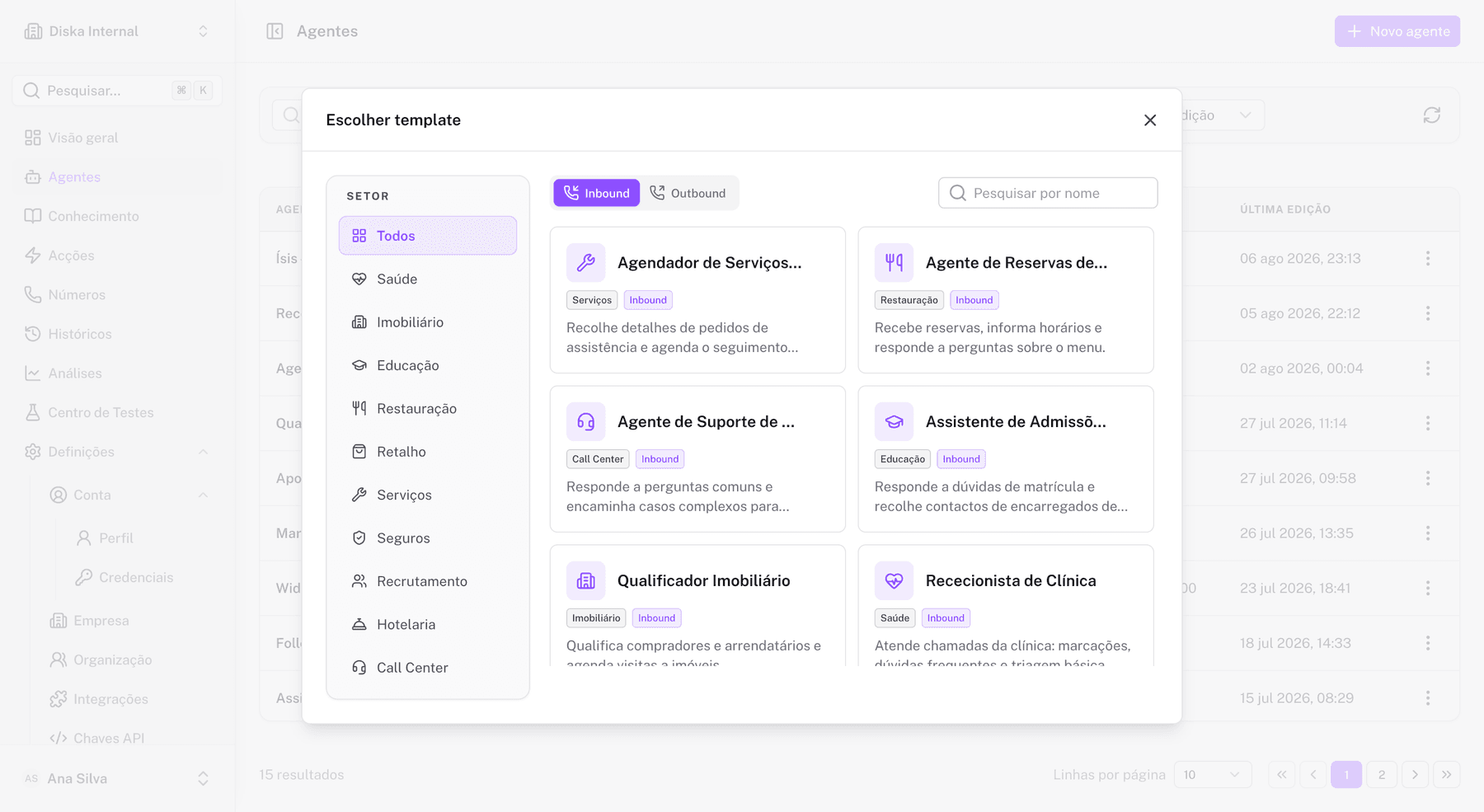
Step-by-step
- Open Agents in the backoffice.
- Click New agent and choose a template.
- Give it a name and confirm the agent type (inbound or outbound).
- Review the system instruction, the Greeting, the voice, the language and any attached actions.
- Test in the browser before publishing.
A blank agent (without a template) opens in the Prompt Builder: one system instruction drives the whole conversation, with the Greeting, voice and language configured alongside it.
What the template includes
- A pre-written persona and system instruction.
- A main Flow (
Main Flow → Before conversation → Greeting). - Voice and language settings.
- Actions can be attached afterwards from the Actions panel (bookings, SMS, custom API calls).
Agent states
| State | Meaning |
|---|---|
| Draft | You can edit and test without affecting live calls. |
| Published | The published version is used by the runtime for calls. |
| Archived | Not used for new calls, but history is retained. |
Publish only after verifying the Greeting, interruption handling and call termination.
Security
Before publishing, ensure that:
- The agent does not expose sensitive data.
- Transfers and actions are properly authorized.
- The system prompt complies with your organization's policies.