

Telephony
Phone numbers
Buy, import over SIP and manage the organization's numbers.
The backoffice Números (Numbers) page manages the organization's number inventory. You can reserve numbers today — live calls arrive when the phone channel becomes active.
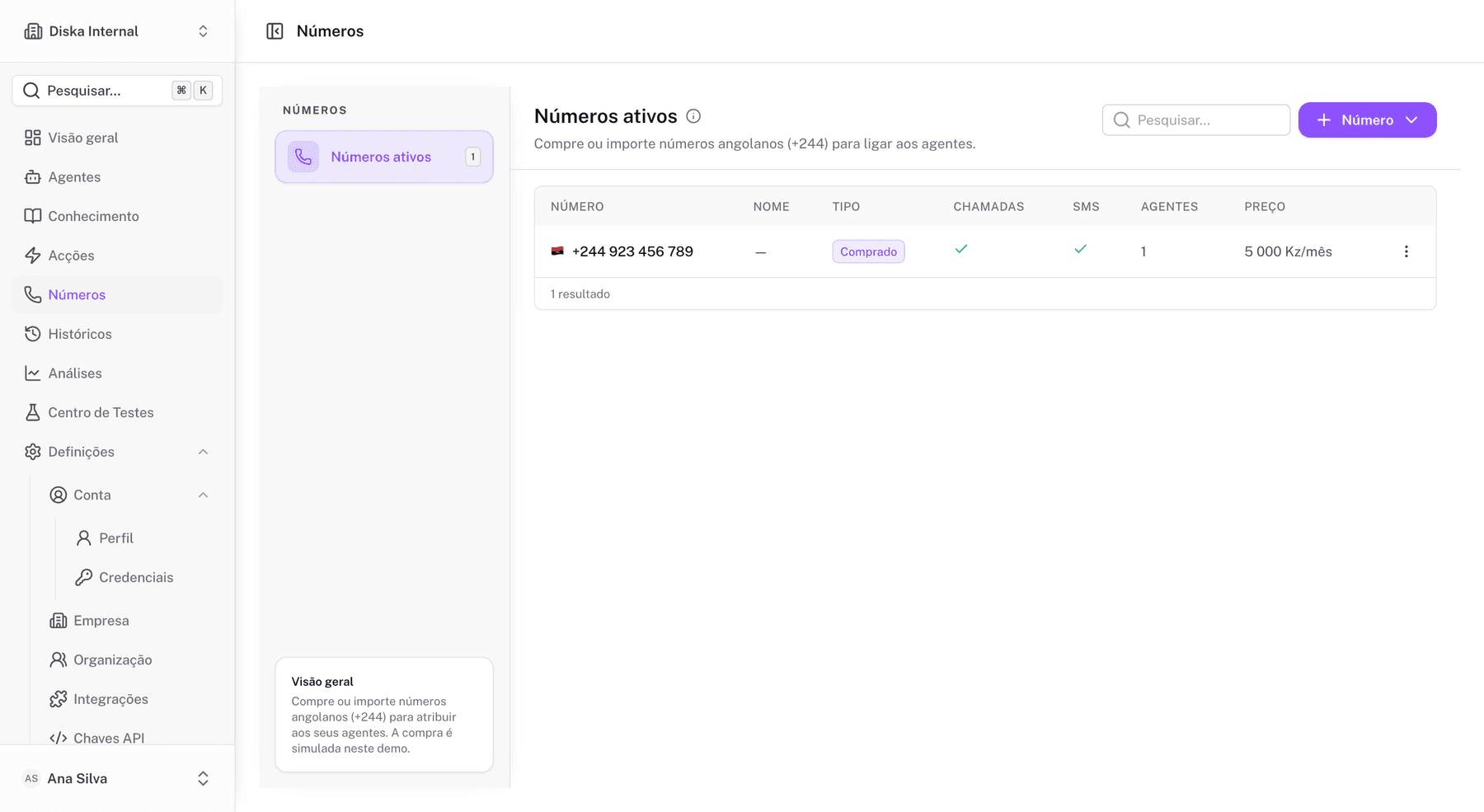
Buy a number
- Open Números in the side menu.
- Open the catalog and pick an available number (country, capabilities and monthly price are shown).
- Confirm the purchase — the number becomes associated with the organization.
Import a SIP number
If you already have a number with another carrier, connect it over a SIP trunk:
- Under Números, click Importar (Import).
- Choose SIP and fill in: SIP domain, username, password and, if needed, outbound proxy and registration.
- Save — the trunk status appears in the list.
The Twilio option appears in the import modal but is marked Em breve (coming soon).
Assign to an agent
Each number can be assigned to an agent under the agent's Publishing Settings → Phone. While the phone channel is not active, the number stays reserved and ready.
Manage
- edit the friendly name;
- check capabilities (voice, SMS) and price;
- remove numbers you no longer use.
Numbers can also be read via API: GET /v1/phone-numbers on the API Channel (phone-numbers:read scope).