

Getting started
Make a test call
Validate your agent with Web Call and the Flow simulator.
Diska provides two ways to test an agent without consuming telephony credit.
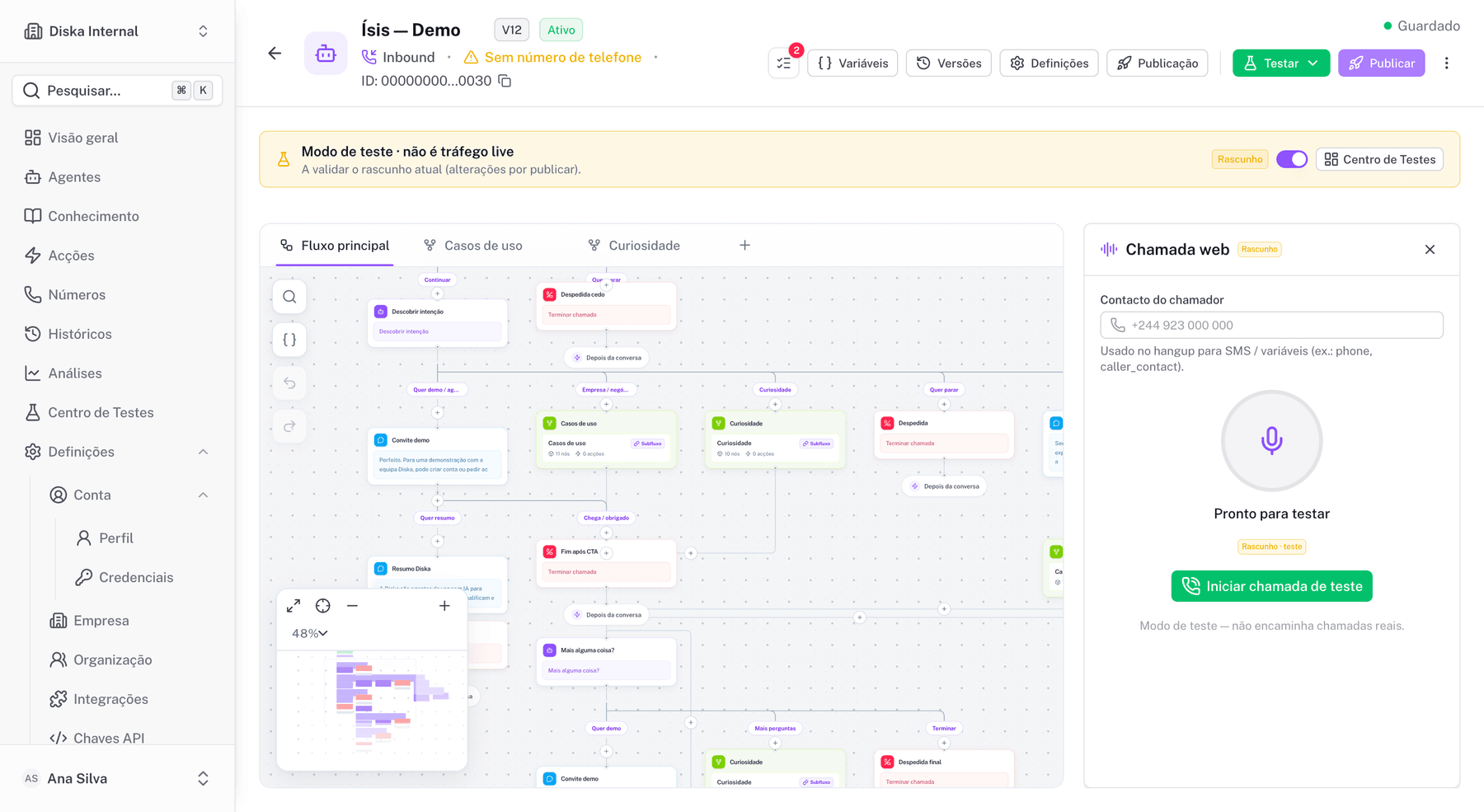
1. Web Call
Test real-time voice with WebRTC in the browser.
- Open the agent page.
- Click Testar → Web Call.
- Allow microphone access.
- Speak with the agent and review the transcriptions.
2. Flow simulator
Test the conversational Flow without audio. Useful to validate logic, branches and variables.
- In the builder, click Testar → Simulação (Simulation).
- Enter test phrases as if you were the customer.
- Confirm the Flow follows the expected paths.
What to validate
- A clear Greeting delivered within the expected time.
- Proper handling of interruptions.
- Variables are collected correctly.
- Transfers, SMS and bookings only trigger when intended.
- The call ends at an End node.
Only the published version is used for real phone calls. Web Call uses the draft version if the test is started from the editor.
Next
After the test call, refine your Flow logic in the Flow Builder.